> ## Documentation Index
> Fetch the complete documentation index at: https://docs.scale3labs.com/llms.txt
> Use this file to discover all available pages before exploring further.
# Deploying a node
1. Go to [scale3labs.com](http://scale3labs.com) and sign in to your account.
2. On the home page, click on **New Node** then **Deploy**.
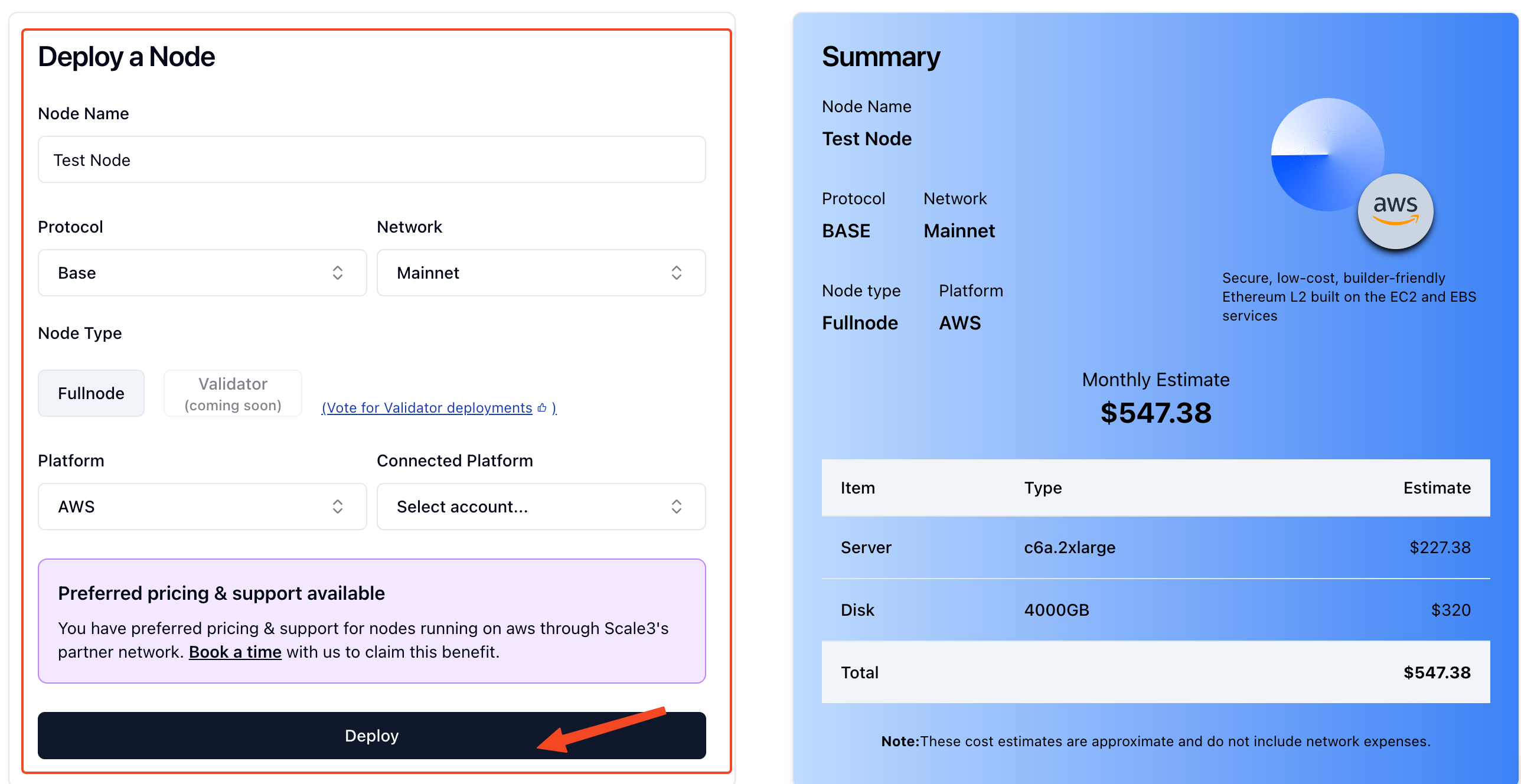
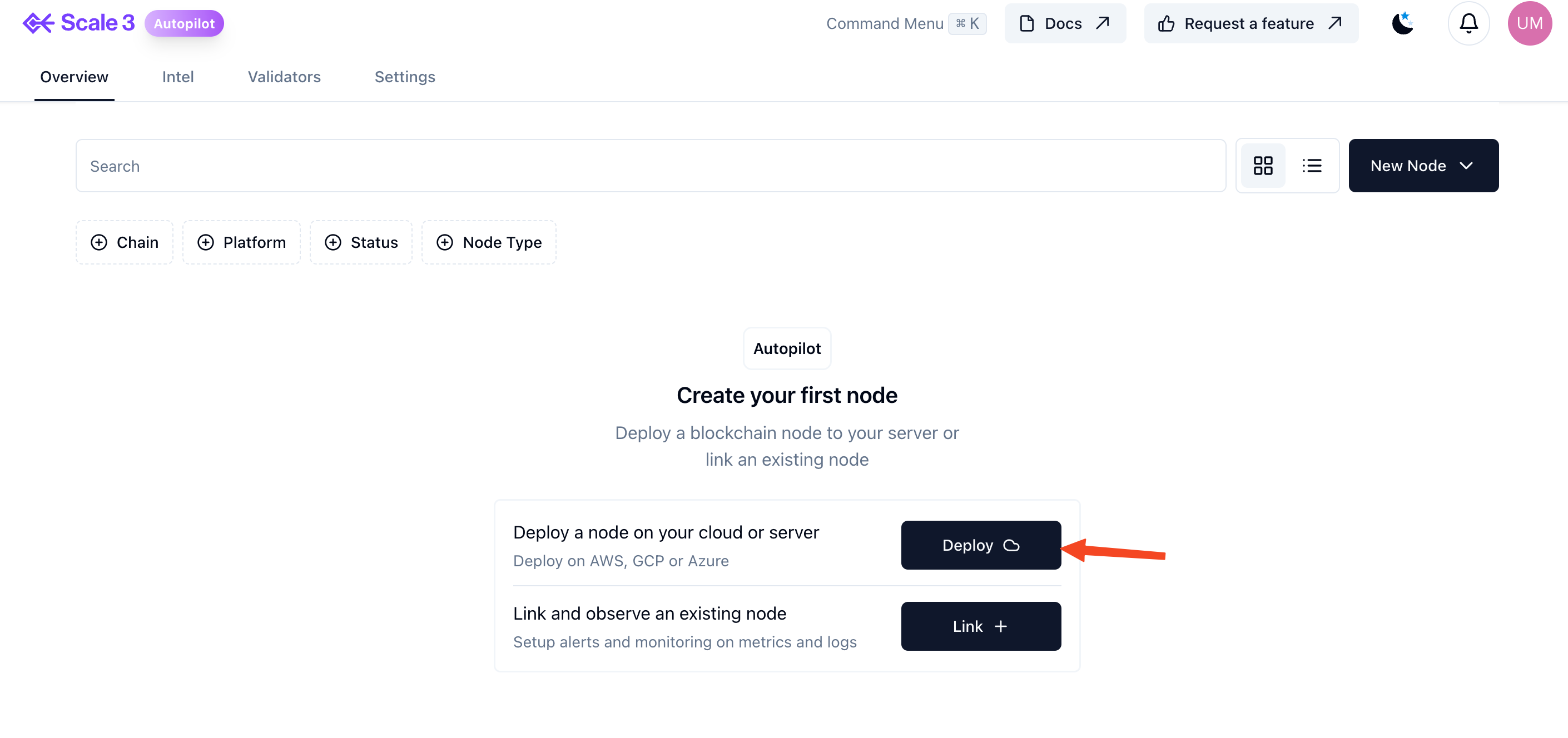 3. Enter the following information, then click “deploy” at the bottom.
 4. Once you press deploy you will be redirected to the "deployed" node
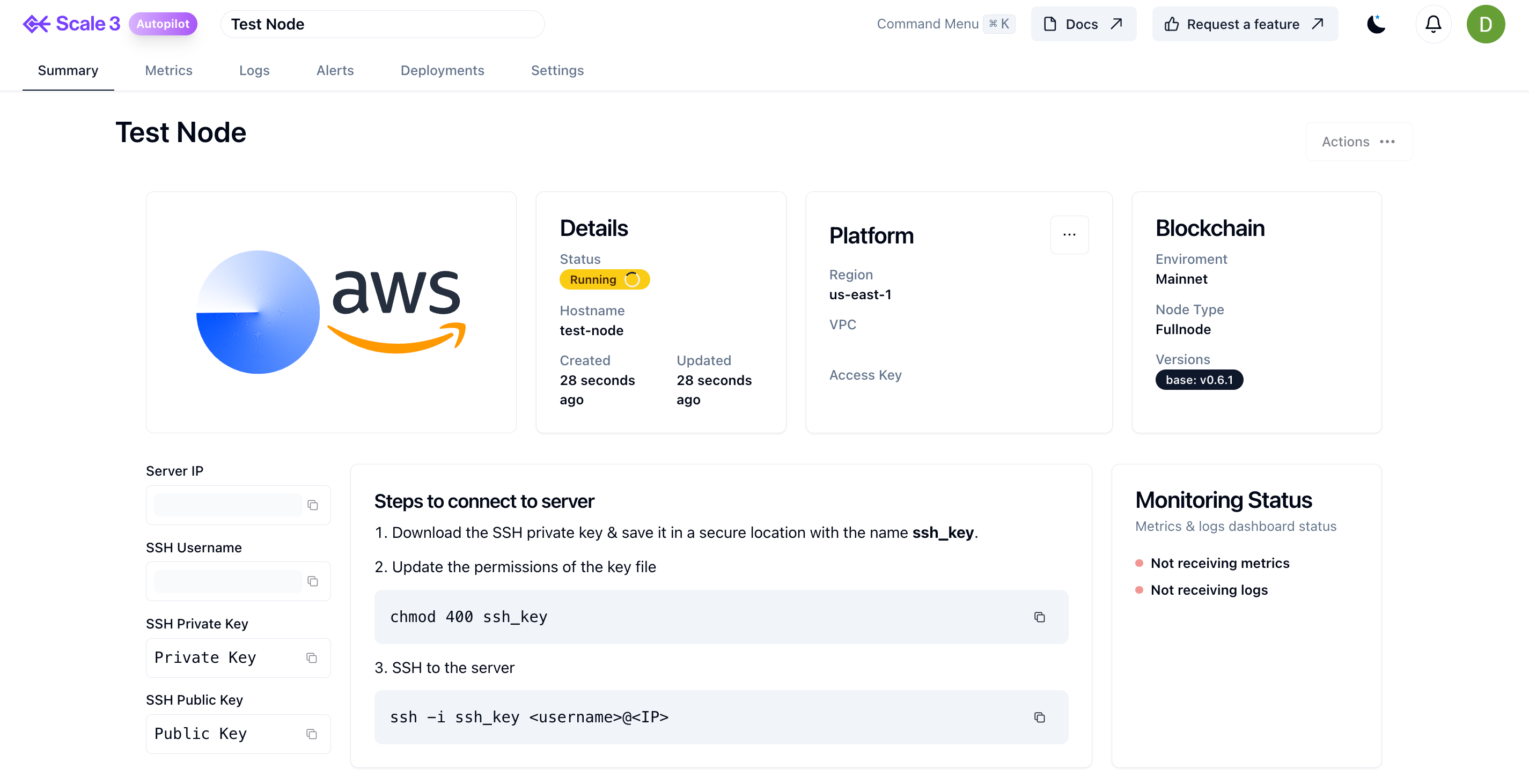 After a successful node deployment, you need to allow SSH from your machine to the newly deployed node. You can do this by adding your IP (the host you will be running ssh from) to:
* Security group inbound rule (AWS)
* Firewall rules (GCP)
* Network Security Group rules (Azure)
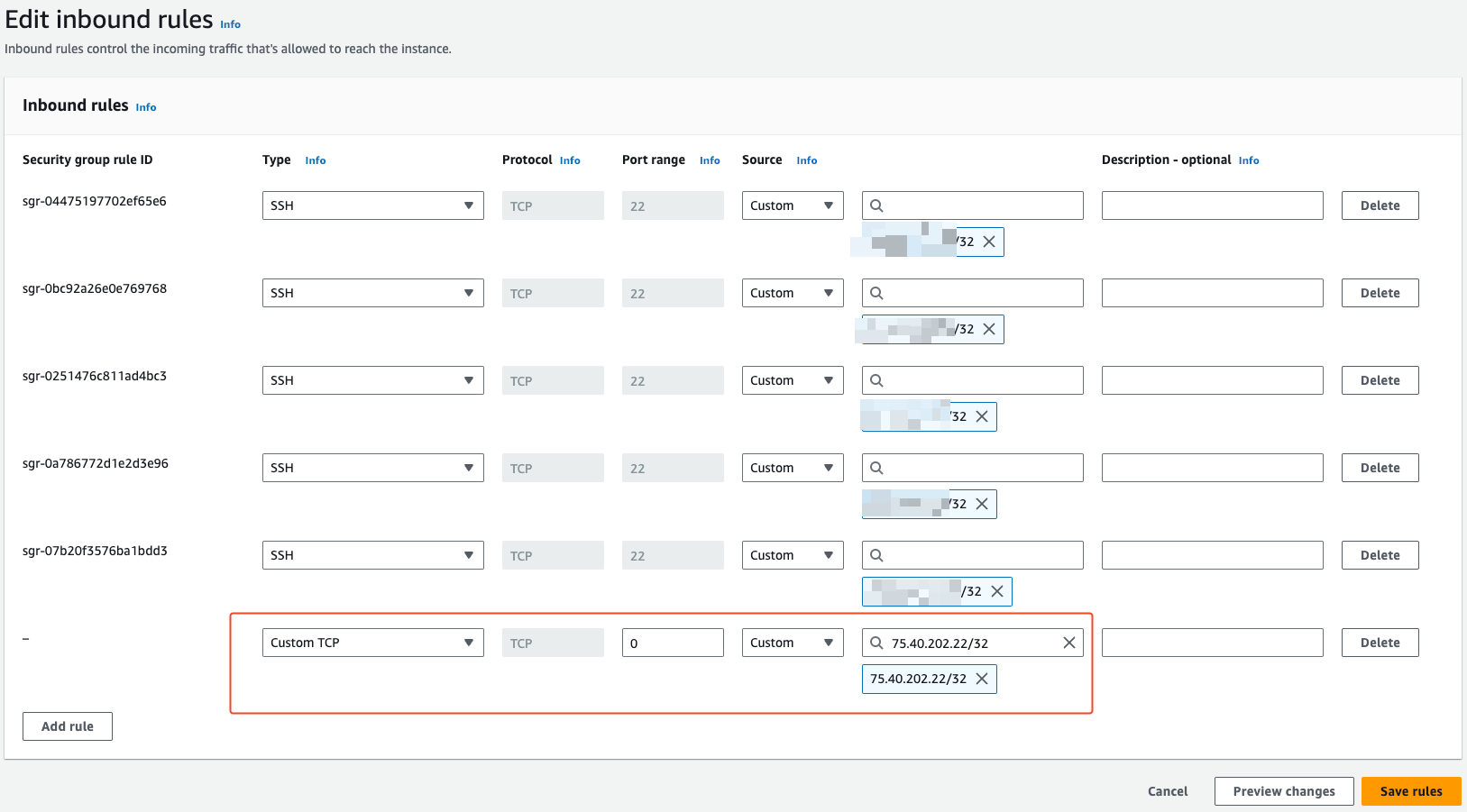
See reference screenshot below for AWS
After a successful node deployment, you need to allow SSH from your machine to the newly deployed node. You can do this by adding your IP (the host you will be running ssh from) to:
* Security group inbound rule (AWS)
* Firewall rules (GCP)
* Network Security Group rules (Azure)
See reference screenshot below for AWS
 **Note: When creating a new Base and Polygon node be aware monitoring dashboards don’t show until the snapshot download completes.**