> ## Documentation Index
> Fetch the complete documentation index at: https://docs.scale3labs.com/llms.txt
> Use this file to discover all available pages before exploring further.

# Live Tail Logging With Scale3 Autopilot

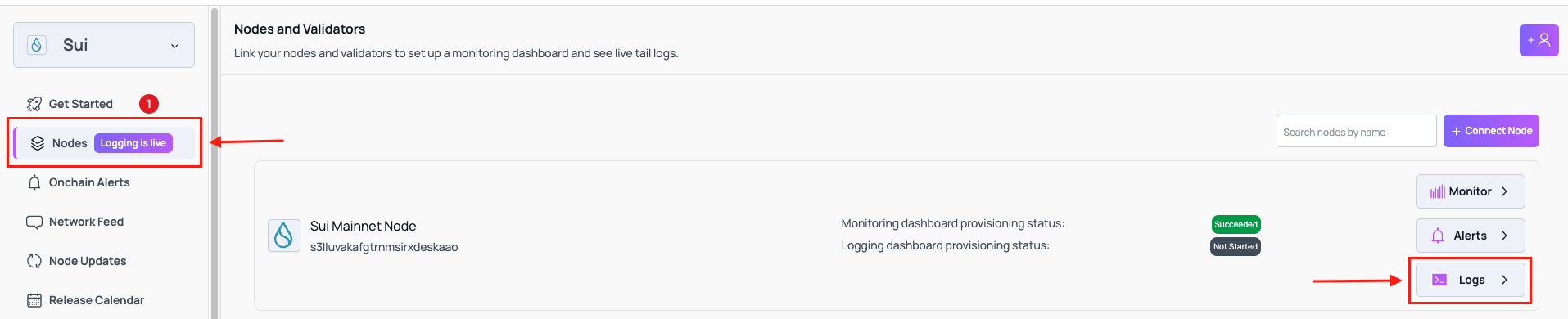
* Login to the platform and click on **Nodes** then click on **Logs** on the node you wish to setup logging on
  <img src="https://mintcdn.com/scale3labs/_YBC6j0AAsWI2tQU/images/logging-flow-instr-1.png?fit=max&auto=format&n=_YBC6j0AAsWI2tQU&q=85&s=17d69015258a74143d693d44a3fa6e5f" alt="" width="1915" height="390" data-path="images/logging-flow-instr-1.png" />

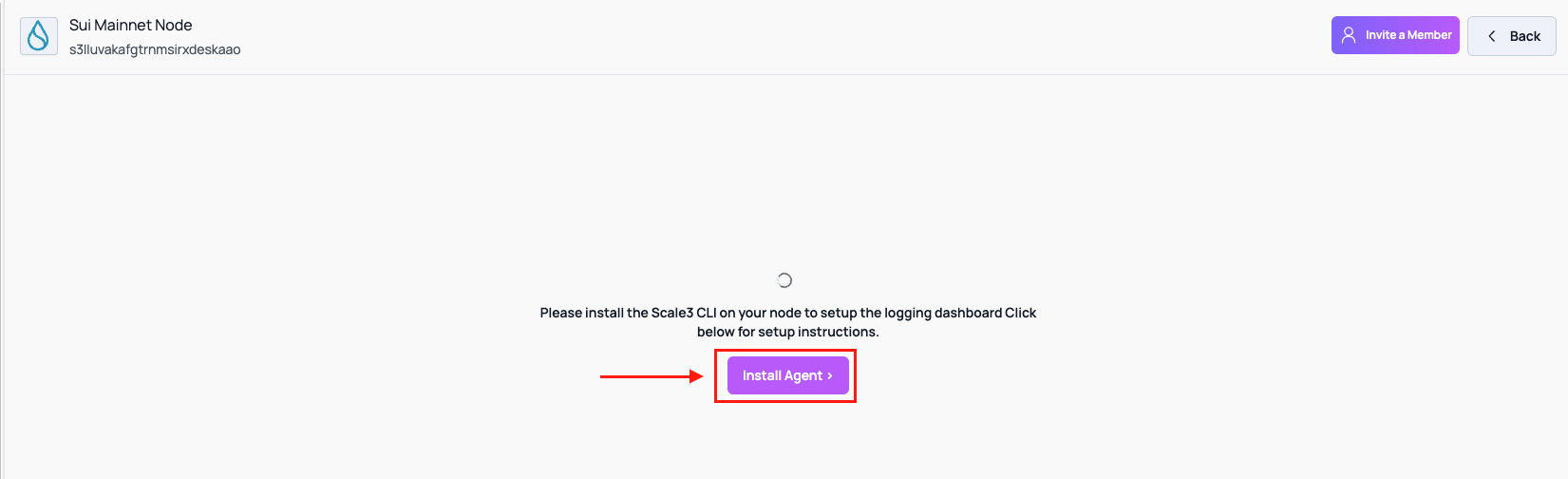
* Click on **Install Agent**
  <img src="https://mintcdn.com/scale3labs/_YBC6j0AAsWI2tQU/images/logging-flow-instr-2.png?fit=max&auto=format&n=_YBC6j0AAsWI2tQU&q=85&s=dec31ec90867e2d67ac594b0b767d72a" alt="" width="1651" height="504" data-path="images/logging-flow-instr-2.png" />

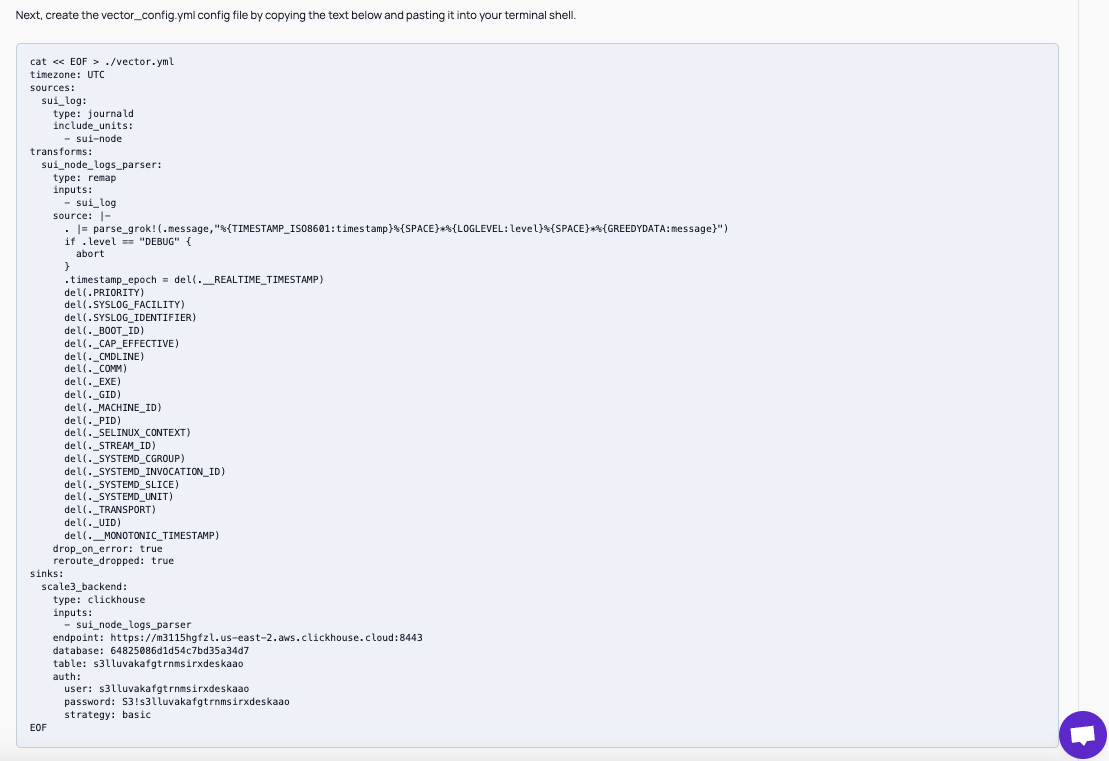
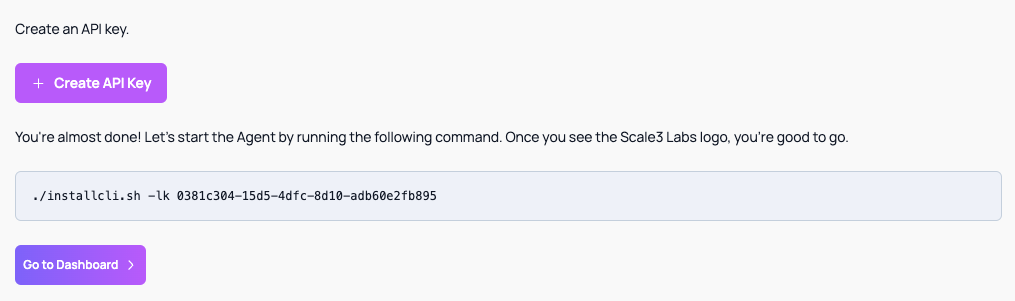
* Ssh into your node you wish to setup logging on and follow the instructions below
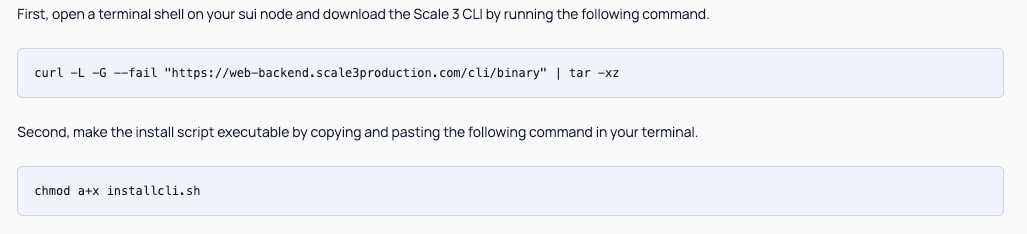
<img src="https://mintcdn.com/scale3labs/_YBC6j0AAsWI2tQU/images/logging-flow-instr-3.png?fit=max&auto=format&n=_YBC6j0AAsWI2tQU&q=85&s=47abc7484dd64bd96d7241d34f603002" alt="" width="1027" height="234" data-path="images/logging-flow-instr-3.png" />

<img src="https://mintcdn.com/scale3labs/_YBC6j0AAsWI2tQU/images/logging-flow-instr-4.png?fit=max&auto=format&n=_YBC6j0AAsWI2tQU&q=85&s=0e33270dc2d879696ba6ef5261b016a8" alt="" width="1109" height="761" data-path="images/logging-flow-instr-4.png" />

<img src="https://mintcdn.com/scale3labs/_YBC6j0AAsWI2tQU/images/logging-flow-instr-5.png?fit=max&auto=format&n=_YBC6j0AAsWI2tQU&q=85&s=25def23122e5ed836f297fd6dde759b6" alt="" width="1015" height="301" data-path="images/logging-flow-instr-5.png" />

* If installed correctly you can click on **Go to Dashboard** from the previous image and you should see a dashboard as below
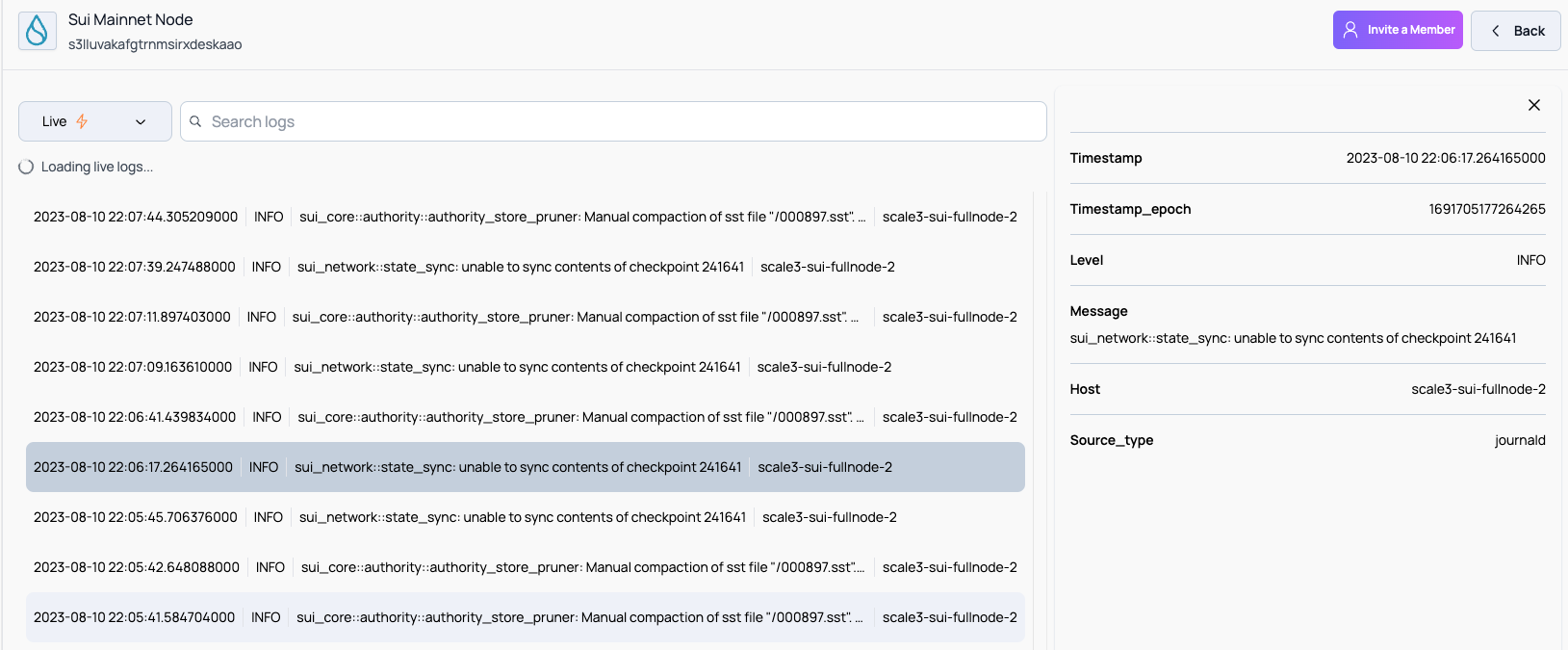
  <img src="https://mintcdn.com/scale3labs/_YBC6j0AAsWI2tQU/images/logging-flow-instr-6.png?fit=max&auto=format&n=_YBC6j0AAsWI2tQU&q=85&s=e596dea9a2960d1a3d65916759427527" alt="" width="1629" height="675" data-path="images/logging-flow-instr-6.png" />

* Voila! With just a few steps logging is setup!